MSB Parent, USA
- 3.3
- Rating
- 1.00M
- Installs
- Free
- Price

 Analysis by App-foxy
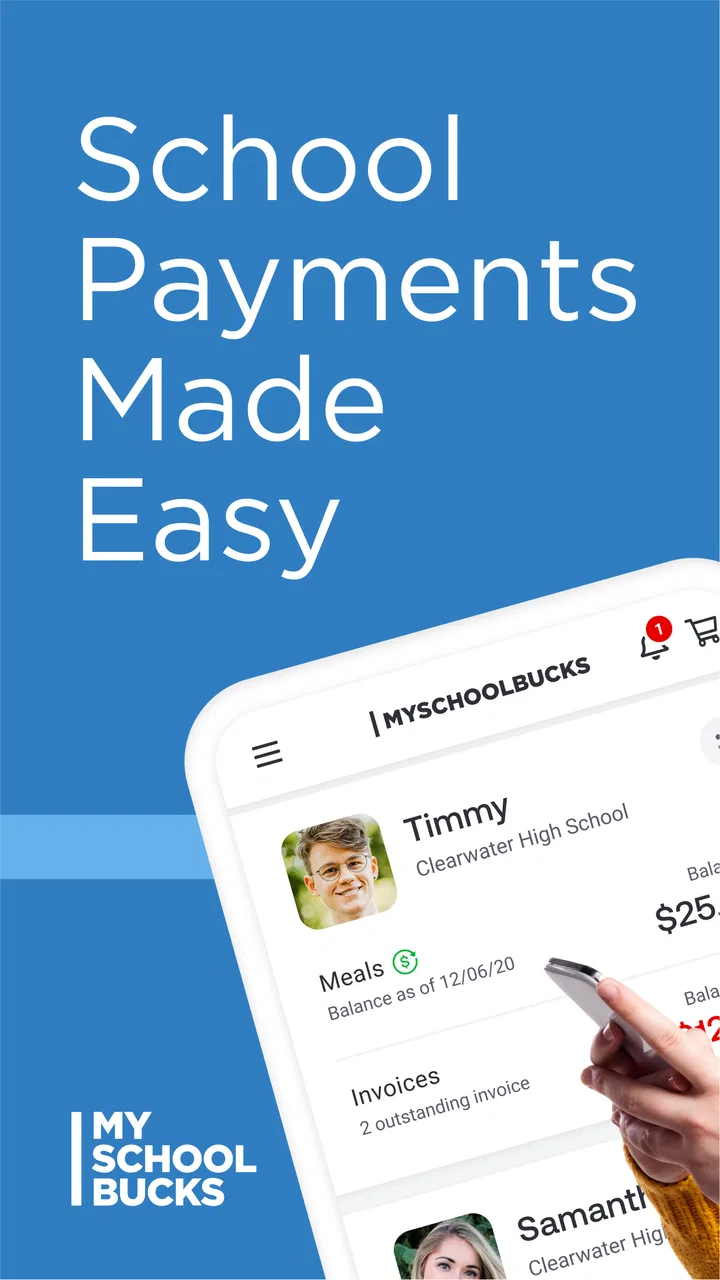
When school meals are paid through a separate system, the difficult part is rarely the idea of adding money. The real challenge is remembering when the balance is low, finding the right student account, and making sure the payment is available before the next lunch period. I found that MSB Parent, USA is built around that exact routine. It is an education app from Global Payments Inc. that gives parents a mobile place to handle school meal payments instead of relying entirely on a school office, paper notice, or a desktop browser.
My first impression is practical rather than exciting. This is not an app I would open for entertainment or exploration. Its value appears when a parent is busy, a child needs meal funds, and the payment task has to be completed quickly. The app is free and intended for Everyone, which makes it approachable for households that simply need a direct way to manage school meal money. I would recommend it most to parents who want a dedicated mobile workflow, while families whose school does not use the relevant payment service should look elsewhere.
Following a school-meal payment from reminder to usable balance
I find it useful to think of a meal payment as a short chain of steps, not just a button press: notice the need, choose the right student account, submit funds, then allow the school system to make them available. In the next section, I’ll focus on the first link in that chain and why a little planning can make a rushed morning much easier.
You May Also Like

 Blood Strike: 2.5 Anniversary
Blood Strike’s Loadouts Turn Every Drop Into a Tactical Gamble
A close look at Blood Strike’s custom loadouts: how fast access to signature weapons reshapes its battle royale rhythm, rewards preparation, and narrows the gap between fights.

 Pandora - Music & Podcasts
Pandora’s Music Is Easy to Start, but Harder to Recover
Pandora’s strength is its low-effort path from a seed to a station. Its weak spot is how much confidence it asks you to place in connection, setup, and quiet recovery.

 8 Ball Pool
 Is Built on Rivalries, Rematches, and Routine
A close look at the rivalries, rematches, shared routines, and unanswered safety questions that turn a quick pool match into a persistent mobile community.

 Samsung Music
’s Quiet Strength Is Playing What You Already Own
Its reach comes less from spectacle than from dependable access to a personal library. That simplicity is both the app’s strongest retention engine and its ceiling.

 AccuWeather: Weather Radar
AccuWeather Review: A Quick, Clear Forecast for Everyday Decisions
For everyday plans, the best forecast is the one you can understand quickly. AccuWeather makes rain timing, radar, and local conditions easy to act on, with a few trade-offs.

 Hill Climb Racing
Why Hill Climb Racing Still Turns Crashes Into One More Run
A tiny car, a bumpy hill and one more upgrade: Hill Climb Racing keeps resurfacing because its simple chaos makes every near-miss feel personal.
More From Our News Desk



The starting condition: a small task with real timing pressure
A realistic situation might begin on a weekday morning. Your child mentions that lunch money is running low while you are preparing for work or getting several children ready for school. You do not necessarily have time to call the office, wait for a computer to start, or search through old messages for payment instructions. The useful promise here is not that the app transforms school meals; it is that the payment step can fit into a short mobile routine.
That distinction matters. Parents often use several systems at once: a school communication platform for announcements, a bank app for household finances, and perhaps a school website for forms. MSB Parent, USA is narrower. It is specifically aimed at the meal-payment part of the school experience. I see that focus as a strength when the school supports it, because a focused tool is easier to remember than a general school portal filled with unrelated notices.
The app has been available since June 26, 2013, and its long presence helps explain why it is familiar to many families. It has passed one million installs, with an average rating of 3.3 from roughly fourteen thousand ratings and about three thousand six hundred written reviews. Those figures suggest a tool with a substantial user base but also a mixed experience. I would not install it expecting every parent to have the same result; the school’s setup and the quality of the account information are important parts of the experience.
Step one: identify the correct school meal account
The first handoff is between the parent and the school’s meal-payment system. Before doing anything else, I would make sure I had the exact student details and school information required by the account. This is a simple but important precaution when a household has multiple children, similar names, or children attending different schools. A payment sent to the wrong student account is much more troublesome than taking an extra moment to check the details.
This is one of the less obvious parts of using a school-payment app: the phone interface may be straightforward, but the information behind it still belongs to a school-specific account structure. If the school recently changed campuses, the child moved between schools, or the district uses different identifiers, I would verify those details before attempting a payment. The app can make the transaction mobile; it cannot remove the need for accurate school records.
I also would not treat the app as a replacement for every school meal question. If the issue concerns eligibility, a disputed charge, a missing meal, or a change in a child’s school record, the school or district remains the appropriate point of contact. The app is most useful for the payment workflow itself, not for resolving every administrative matter connected to lunch.
Step two: move from intention to payment
Once the right student account is selected, the main task is to add funds through the available payment process. This is where the mobile format earns its place. A parent can handle the task from the same device used for messages and calendars, rather than treating school meal money as a separate paper-based chore.
My advice is to slow down at the confirmation stage. Mobile payments encourage quick tapping, especially when the child is already leaving for school. I would check the student name, school, and amount before completing the transaction. That small pause is more valuable than speed because the most frustrating mistakes in this type of app are usually selection mistakes, not complicated technical problems.
Another useful habit is to make the payment part of a predictable household routine. For example, I would check the meal balance when reviewing the school calendar or preparing for the week, rather than waiting until a child reports a problem at breakfast. This turns the app from an emergency tool into a maintenance tool. It also gives you time to investigate an account issue before the next school day.
The app’s current version is 26.7.0.917, and it requires at least iOS 11. That makes device compatibility worth checking before relying on it for an urgent payment. A parent using an older iPhone may need to update the operating system or use another route offered by the school. I would verify compatibility early, not when the account is already low.
Step three: complete the handoff to the school system
After the parent submits a payment, the important handoff is no longer visible in the same way. The request has to move from the app into the school’s meal-account system, where the funds become useful to the student. This is the point at which expectations should stay realistic. A successful tap in a mobile interface is not identical to a child’s lunch account being immediately usable in every situation.
For that reason, I would avoid making a last-minute payment immediately before a meal period unless the school has clearly explained how quickly its system reflects new funds. The app is convenient, but convenience should not be confused with a guarantee that every school processes payments at the same pace. If the payment is urgent, I would keep the receipt or confirmation information available and contact the school if the balance does not appear as expected.
This is also where communication between adults matters. In a shared-parent household, one person may make the payment while another assumes it has already been handled. A simple message saying which child was funded and when can prevent duplicate payments or uncertainty. The app supports the transaction, but the family still needs a clear handoff between the people responsible for school expenses.
What the completed workflow feels like
When everything lines up, the result is pleasantly ordinary: the parent completes the payment from a phone, the school account receives the funds, and the child can use the meal service without carrying cash or bringing a paper form home. That ordinary outcome is exactly why I think the app can be worthwhile. It removes a small administrative obstacle from a busy day.
I would especially value it for families with more than one child. Keeping meal payments in a dedicated place can be easier than remembering separate instructions for each student, although I would still check every account carefully before confirming. The app is also useful for parents who travel, work irregular hours, or are not usually available during school-office hours. A mobile workflow gives them a better chance of handling the task when they actually have a free minute.
There is a subtle benefit in separating meal funding from general school communication. A school portal may contain grades, attendance, announcements, forms, and messages. That breadth can be useful, but it can also make a simple payment harder to find. MSB Parent, USA is more focused, so I would choose it when my immediate need is specifically the meal account rather than a complete view of school life.
Where the flow breaks
The app is not the right answer for every family. The first possible break is school compatibility. Because this is a service connected to participating school meal systems, a parent should confirm that the child’s school uses it before building a routine around the app. If the school directs families to a different provider, the cleaner choice is to follow that official route rather than maintain an account that cannot complete the intended handoff.
The second break is account accuracy. Multiple children, changed schools, and incomplete information can make the selection stage more error-prone than expected. I would not rush through the setup simply because the payment itself looks simple. The app can be convenient, but it still depends on the parent matching the correct child to the correct school account.
The third break is timing. If funds need to be available for a meal that same day, I would not assume that a mobile confirmation automatically means the cafeteria system has updated. A parent who needs certainty for an immediate meal may prefer to contact the school office or use the school’s established emergency procedure. That is less convenient, but it may be more appropriate when timing matters more than convenience.
There is also a broader usability trade-off. An average rating of 3.3 indicates that the experience is not universally smooth. I would interpret that as a reason to keep expectations practical: this is a functional payment tool, not necessarily a polished all-in-one family dashboard. If you want detailed academic information, messaging, attendance, or a unified school calendar, a district portal may serve you better. If you only need meal payments, the narrower focus may be preferable.
How it compares with the usual alternatives
The most obvious alternative is paying through a school website on a computer. That option may feel more comfortable for a first-time setup because a larger screen makes student selection and account review easier. I would use the browser route if I needed to inspect several details at once or if the mobile app was not behaving properly. The app wins when the task is routine and I already know which account needs funding.
Another alternative is contacting the school office. That route is better for questions about eligibility, account corrections, refunds, or a payment that appears to be missing. It is not as convenient for a straightforward top-up, especially outside office hours. I see the app and the office as complementary rather than competing choices: use the app for ordinary funding, and use school staff when the account or meal record needs human investigation.
Some families may also rely on reminders from a school communication platform. Reminders are helpful, but they do not necessarily complete the payment. A dedicated meal-payment app reduces the number of steps between noticing the problem and acting on it. The trade-off is that it creates another app to maintain and another account workflow to remember. Parents who strongly prefer one consolidated school platform may find that separation annoying.
Small habits that make the app more dependable
My first practical tip is to make the initial setup a calm task rather than an emergency task. Add the relevant student information when you have time to verify it, and record the school’s preferred support route somewhere accessible. This prevents a rushed morning from becoming the first test of whether the account is configured correctly.
My second tip is to treat every payment as a handoff that deserves a check. Review the child’s name and school before submitting, then keep the confirmation until the balance is known to be usable. This is particularly important when a parent manages accounts for several children or when another adult may also be making payments.
My third tip is to use the app as part of a weekly family review. I would check meal funding alongside school schedules, sports plans, and transport arrangements. That workflow is more reliable than waiting for a child to report that lunch money is nearly gone. It also gives you a chance to use a browser or contact the school if something looks wrong, instead of discovering the issue at the cafeteria.
Finally, I would keep an alternative in mind. This does not mean the app is poor; it means school payment systems involve multiple parties. If the app is unavailable, the device is incompatible, or a payment is not reflected, knowing whether the school accepts web payments or office assistance prevents a small problem from becoming a missed meal.
Who should use it, and who should skip it?
I think MSB Parent, USA is a good fit for parents whose children’s schools support the service and who want a focused way to manage meal funds from an iPhone. It is especially sensible for busy households, parents who are often away from a computer, and families that want to handle routine payments without calling the school every time.
I would skip it if your school uses another meal-payment provider, if you need a full school-management app, or if most of your questions concern meal eligibility and account disputes rather than adding funds. In those cases, the school’s official portal or office may be more useful. I would also be cautious about relying on it for a payment that must be available immediately unless the school has confirmed its processing workflow.
As a free education app with an Everyone age rating, it is easy to consider, and the install base shows that many families have tried it. Still, the mixed rating tells me to judge it by the job it performs rather than by expecting a flawless experience. Its best quality is focus: it gives parents a mobile route for a specific school responsibility.
My final view is that this app succeeds when the workflow is ordinary, the school account is correctly connected, and the parent needs a quick way to keep meal funds moving. It does not replace school support, solve every account problem, or remove the need to verify details. But for a parent standing in a busy kitchen who needs to handle school lunch money before the day begins, that focused convenience can be genuinely useful. If your school supports the service, I would try it as a practical payment companion, while keeping the school’s web or office option available when the handoff does not go smoothly.
FAQs for MSB Parent, USA
01What is MSB Parent, and who is it designed for?
MSB Parent is a school communication and family engagement app designed for parents and guardians in the United States. It can help families receive messages, announcements, reminders, attendance information, calendars, forms, and other updates from participating schools or districts. The exact tools available depend on the school’s setup, so parents should confirm that their child’s school supports MSB Parent before downloading.
02How do I create an account or join my child’s school in MSB Parent?
After installing MSB Parent, you generally need to register with an email address or mobile number and connect your profile to the school, district, or child account. Some schools may provide an invitation, access code, or require information that matches their student records. If enrollment fails, the app may not be the problem; contacting the school office or district administrator is usually the quickest way to verify your details.
03What information and notifications can parents receive through the app?
The information shown in MSB Parent varies by the school or district, but it may include school announcements, teacher or administrator messages, attendance notices, event reminders, academic updates, forms, calendars, and emergency communications. Notifications can be useful for staying informed, although they depend on the school sending updates and on your phone’s notification permissions. Review the app’s settings so important alerts are not muted.
04Is MSB Parent free to download and use?
MSB Parent is typically available to download without an upfront charge, but access and available features are controlled by the participating school or district. Parents should check the official Google Play or Apple App Store listing for current pricing information, supported devices, and any in-app purchase details. A school might also use separate services or paid programs alongside the app, so downloading it does not necessarily cover every school-related fee.
05Is my family’s information secure when using MSB Parent?
MSB Parent may handle personal and student-related information, such as contact details, school affiliation, messages, attendance data, or account identifiers. Before creating an account, review the app’s privacy policy and the school or district’s data practices to understand how information is collected, used, stored, and shared. Use a strong, unique password, keep the app updated, and avoid accessing sensitive school information on unsecured public Wi-Fi whenever possible.
Pros
- Keeps parents informed about school-related updates in one place.
- Provides convenient access to important notices and announcements.
- Can reduce the need for paper communications from the school.
- Helps families stay connected while away from home.
- Simple design makes essential information easy to locate.
Cons
- Requires reliable internet access for timely updates.
- Notification settings may need manual adjustment on each device.
- Some features depend on the school’s configuration and participation.
- Information may feel limited outside the active school term.
- Parents may receive frequent alerts during busy school periods.

MSB Parent, USA
Gallery